Resources

Guides for employers and candidates.

How a SmartVue session runs, what to tell your candidates, what the integrity report contains, and the research behind the problem.

How SmartVue works

A controlled room that AI can't get into.

Software can't reliably tell when a candidate is using AI. We focus on the room instead. Nothing changes on your end. We supervise each session to make sure every answer comes from the candidate.

  • Identity verification

    On-site staff check government ID against your candidate record before the session starts.

  • A level playing field

    Locked-down pod computers run only your interview platform. No browser extensions, overlays, phones or smart glasses, with supervision for the whole session.

  • Standardised hardware

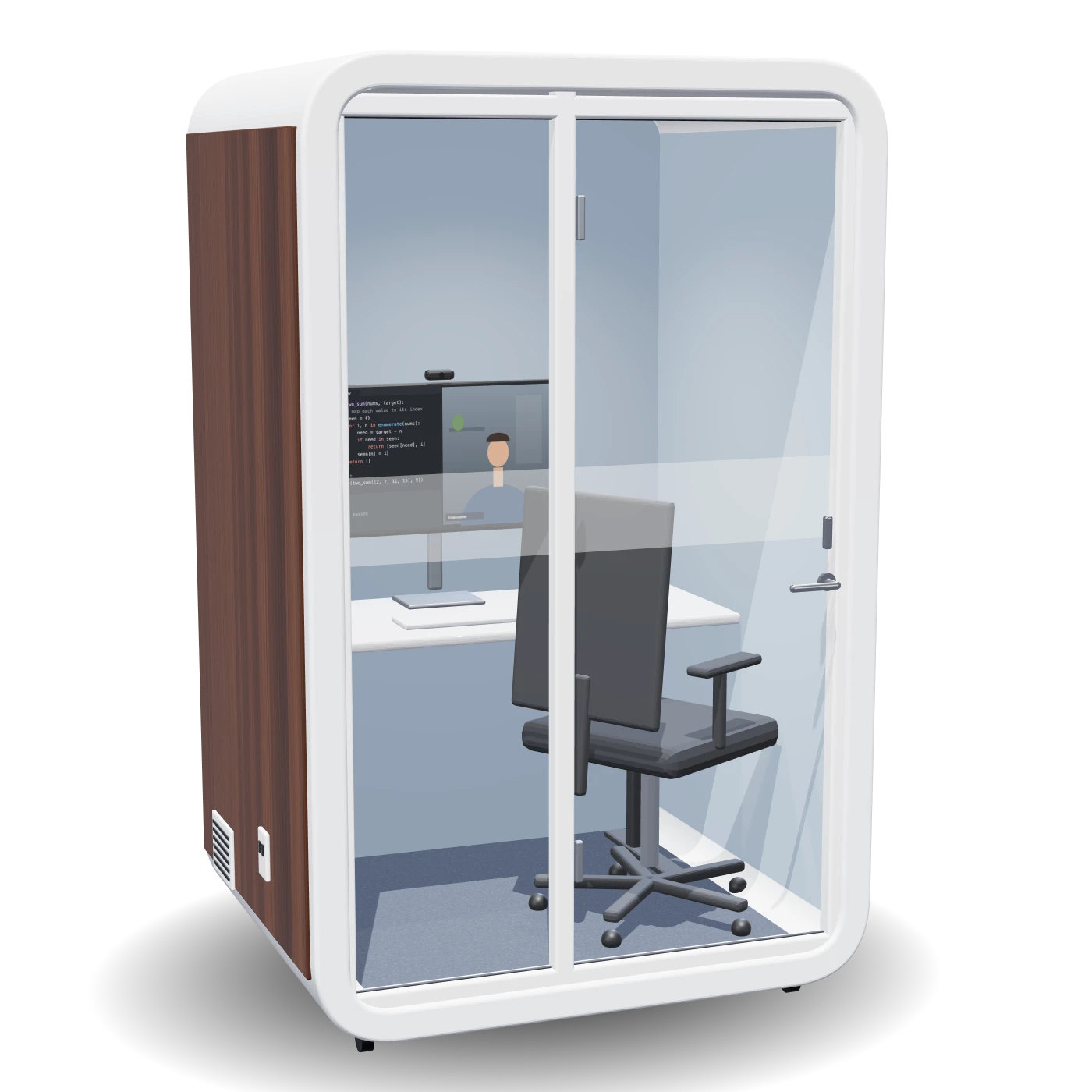
    The same soundproofed pod, monitor, camera, headset and wired connection for every candidate.

A SmartVue interview pod: white soundproofed booth with walnut side panel and glass door, a desk with a monitor showing a coding interview, and an office chair
  • Integrity report

    A written record for each session covering check-in time, ID status and any incidents, ready for your applicant tracking system.

  • Platform agnostic

    Works with Zoom, Teams, Google Meet, HackerRank, CoderPad or your own assessment tools.

  • Secured environment

    Phones, smartwatches, earbuds and notes go into lockers. Each pod is checked before every session and supervised throughout.

How it works

From booking to decision in four steps.

  1. 01

    Purchase credits

    Choose a package. Credits are pooled across your organisation and drawn down per session.

  2. 02

    Invite candidates

    Send a booking link from your ATS or inbox. Candidates choose a venue and time slot.

  3. 03

    Supervised check-in

    Staff verify ID, secure personal devices and seat the candidate in a prepared pod.

  4. 04

    Interview & report

    Your panel interviews as usual. The integrity report arrives when the session closes.

Guides

Everything each side needs to know.

Employer guide

  1. Buy a package. Credits are shared across your organisation and one credit covers one session.
  2. Tell us which platform you use. Each session includes 60 minutes, and you can add an extra hour for $20.
  3. Send each candidate a booking link from your applicant tracking system or inbox.
  4. Interview as usual. Your panel joins from wherever they are, on your normal platform.
  5. Receive the integrity report when the session closes.

Candidate guide

  1. Book a time slot at the venue using the link from the employer.
  2. Bring government photo ID, such as a driver licence or passport.
  3. Arrive a few minutes early to check in with the venue staff.
  4. Put your phone, smartwatch, earbuds and notes in a locker before the session.
  5. Sit your interview in the pod. The computer runs only the employer's platform, and staff are on hand if anything goes wrong.
Sample integrity report

A written record of every session.

Each report confirms who sat the interview and under what conditions. Session recordings are kept for 24 hours for verification, then deleted.

Example only. Names and times are illustrative.

Integrity report

Candidate
Alex Chen
Venue
1Smart.Space, Docklands
Check-in
9:52am
ID check
Government photo ID matched to candidate record
Devices
Phone and smartwatch secured in locker
Pod computer
Locked to the employer's interview platform
Session
10:00am to 11:15am, supervised throughout
Incidents
None recorded
Research

Why remote interviews need a controlled room.

Run a pilot with SmartVue.

Start with 10 supervised interviews and see the integrity reports for yourself.

Request a proposal →